Python 1592.py
class Solution:
    def reorderSpaces(self, text: str) -> str:
        # extract words
        words  = []
        for w in text.split(" "):
            if w != "":
                words.append(w)

        spaces = text.count(" ")
        gaps   = len(words) - 1                    # number of gaps between words
        insert = spaces // gaps if gaps > 0 else 0 # number of spaces for each gap
        final  = spaces - insert * gaps            # number of spaces at the end

        return (" " * insert).join(words) + " " * final
14 lines
|
548 bytes
|
submitted December 5, 2023
|
GitHub
36% comment ratio
|
tab size 4
|
low complexity
Difficulty
This problem is ranked as
and has an acceptance rate of about 44% (100k+ submissions).
Typical patterns to solve this problem:
easy
medium
hard
and has an acceptance rate of about 44% (100k+ submissions).
Typical patterns to solve this problem:
- String
I solved 663 easy, 1250 medium and 309 hard problems
AI Disclaimer
Every single line of code was written by me, 100% from scratch, between August 2023 and August 2024.
However, two years later I set up this website and used various AI tools to generate most of the walkthrough / explanations below.
See this dedicated page for more details.
Code Walkthrough
Overview
The provided Solution.reorderSpaces method receives a string that may contain words separated by spaces and possibly leading, trailing, or multiple consecutive spaces. Its purpose is to redistribute all spaces so that the gaps between consecutive words contain an equal number of spaces, and any leftover spaces are appended to the end of the string. When the input consists of a single word, all spaces are moved to the end.
Key Steps
Extract words
The algorithm first isolates the non-empty tokens that constitute the words. It iterates over the result of text.split(" "), which yields a list that includes empty strings for consecutive spaces. By appending only the non-empty entries to a new list, the code builds a clean collection of words while discarding the original spacing.
words = []
for w in text.split(" "):
    if w != "":
        words.append(w)
Count total spaces and determine gaps
The total number of space characters in the original string is obtained with text.count(" "). The number of gaps that can receive spaces is one less than the number of words (len(words) - 1). When there is only a single word, the gap count becomes zero, and the algorithm treats this as a special case.
spaces = text.count(" ")
gaps = len(words) - 1
Compute uniform distribution and trailing remainder
If there is at least one gap, integer division distributes the spaces evenly across all gaps (spaces // gaps). The remainder, which cannot be evenly divided, is stored as final and will be placed after the last word. When there are no gaps (i.e., a single word), the uniform distribution is set to zero, causing all spaces to become trailing spaces.
insert = spaces // gaps if gaps > 0 else 0
final = spaces - insert * gaps
Assemble the final string
The result is constructed by joining the list of words with a string consisting of insert spaces. After the join, the leftover spaces (final) are appended. This approach leverages Python’s efficient string multiplication and the join method, avoiding repeated concatenation inside loops.
return (" " * insert).join(words) + " " * finalEdge Cases Handled
When the input contains only spaces and no words, words becomes an empty list, gaps evaluates to -1, and the conditional if gaps > 0 else 0 ensures that insert is set to zero. Consequently, the join operation yields an empty string, and the entire original space count is returned as trailing spaces, matching the expected behavior.
If the input consists of a single word surrounded by spaces, gaps is zero, so insert is forced to zero. All spaces are therefore placed after the word, satisfying the requirement that no spaces appear between words when there is only one.
Multiple consecutive spaces between words are collapsed during the extraction phase because empty strings are ignored. The total space count, however, still reflects every space character, guaranteeing that the redistribution accounts for all original spaces.
Performance Optimizations
The implementation relies on built-in string operations that are implemented in C and thus run faster than equivalent Python loops. Splitting the text once and iterating only over the resulting list avoids repeated scanning of the original string. Counting spaces with text.count(" ") is a single pass over the characters, providing the exact total without extra bookkeeping.
Integer division and multiplication are used to compute the uniform spacing and the trailing remainder without constructing intermediate lists or performing per-character assignments. The final string is built with a single join call followed by a single multiplication for the trailing spaces, which minimizes the number of intermediate string objects created and reduces memory churn.
written by openai gpt
ELI5 - Simplified Explanation
Imagine this code is like a little robot helper designed to fix a messy sentence where all the words are drifting apart. First, the robot gathers up all the loose words and sets them aside in a group so it can see them clearly. Then, it counts how many spaces are scattered all over the place. It looks at how many words it has, which helps it figure out how many empty spots need to be filled between them. If there is only one word, the robot keeps all the extra spaces at the very end. If there are many words, the robot divides the spaces equally and puts them right between each word so everything looks neat and tidy. Finally, it keeps any bits of space that were left over and tucks them onto the end of the sentence to finish the job.
written by google gemini
Code Quality
Several LLMs ranked my code quality on a scale from 1 (very poor) to 10 (outstanding):
n = 26
|
median = 8
|
μ = 7.88
|
σ = 0.85
Complexity Analysis
Time: linear
As a rule of thumb, the maximum input size for one second execution time is
As a rule of thumb, the maximum input size for one second execution time is
- factorial: up to 10 elements
- exponential: up to 20 elements
- polynomial: a few thousand elements
- loglinear: up to 100,000 elements
- linear: a few million elements
- logarithmic: a billion elements
- constant: practically unlimited
generated automatically
Other Solutions
I wrote a basic crawler to find other solutions to that problem.
Obviously, I did that after I solved the problem myself.
In general, AlgoMonster and WalkCCC solutions are high-quality and always worth a look.
I haven't checked most of the other solutions, but they might be helpful as well.
And of course, the LeetCode forum is always a good place (or even the best) to look for alternative approaches.
(click on a column header to sort the table)
| author | ||||||||||
|---|---|---|---|---|---|---|---|---|---|---|
| author | solutions | |||||||||
| www | AlgoMonster | C++ | Python | Java | TS | |||||
| WalkCCC | C++ | Java | ||||||||
| leetcode.ca | C++ | Python | Java | Go | Rust | TS | ||||
| Progiez | C++ | Python | Java | |||||||
| github | black-shadows | C++ | ||||||||
| charles-wangkai | Java | |||||||||
| everthis | JS | |||||||||
| fartem | Ruby | |||||||||
| fsq | C++ | |||||||||
| JoshCrozier | JS | |||||||||
| keineahnung2345 | C++ | |||||||||
| Krazune | C++ | |||||||||
| lkwq007 | Python | |||||||||
| muhammadfarhankt | Go | |||||||||
| suxrobGM | C# | |||||||||
| trung-hn | Python | |||||||||
| varunu28 | Java | |||||||||
| YuriSpiridonov | Python | |||||||||
| AlgoMonster | C++, Python, Java, TypeScript | |||||||||
| WalkCCC | C++, Java | |||||||||
| leetcode.ca | C++, Go, Java, Python, Rust, TypeScript | |||||||||
| Progiez | C++, Java, Python | |||||||||
| black-shadows | C++, C++ | |||||||||
| charles-wangkai | Java | |||||||||
| everthis | JavaScript | |||||||||
| fartem | Ruby | |||||||||
| fsq | C++ | |||||||||
| JoshCrozier | JavaScript | |||||||||
| keineahnung2345 | C++ | |||||||||
| Krazune | C++ | |||||||||
| lkwq007 | Python | |||||||||
| muhammadfarhankt | Go | |||||||||
| suxrobGM | C# | |||||||||
| trung-hn | Python | |||||||||
| varunu28 | Java | |||||||||
| YuriSpiridonov | Python |
29 links
|
18 authors
|
9 languages
Videos
These are a few popular YouTube videos for this problem:

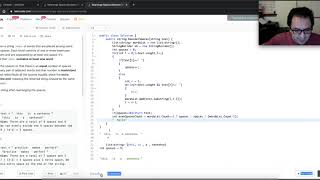

Programming Live with Larry 6 mins
1592. Rearrange Spaces Between Words (Leetcode Easy)
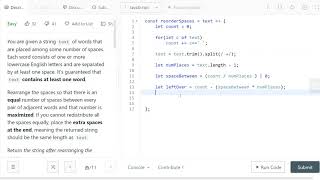
Francesco Manicardi 4 mins
LeetCode 1592. [easy] Rearrange Spaces Between Words
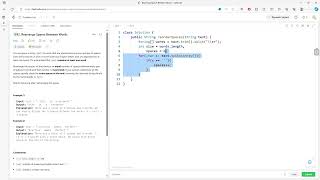
Sloppy Guy 10 mins
1592 Rearrange Spaces Between Words leetcode Java (very manual, no String Api)
Sleepy Cracker 8 mins
LeetCode 1592 | Rearrange Spaces Between Words | String | Java
Muerde un zombie 16 mins
1592. Rearrange Spaces Between Words
vinit khandelwal 8 mins
Leetcode 1592. Rearrange Spaces Between Words
6 videos
did my crawler come up with invalid videos ? drop me a line.
Similar Problems
- problem 68: Text Justification
1 similar problem
Solved On The Same Day
3 easy
- problem 1688: Count of Matches in Tournament
- problem 2873: Maximum Value of an Ordered Triplet I
- problem 2937: Make Three Strings Equal
- problem 2434: Using a Robot to Print the Lexicographically Smallest String
- problem 2516: Take K of Each Character From Left and Right
- problem 2610: Convert an Array Into a 2D Array With Conditions
- problem 2671: Frequency Tracker
- problem 2711: Difference of Number of Distinct Values on Diagonals
- problem 2766: Relocate Marbles
10 solutions
December 5, 2023
Extra
There are a few extra pages giving you some insights into my setup:
- Tech Stack - my development environment and tools
- AI - how AI helped me create this website (NOT solving the problems)
- Progress - progression over time
- Quality - code quality