Python 0733.py
class Solution:
    def floodFill(self, image: List[List[int]], sr: int, sc: int, color: int) -> List[List[int]]:
        height = len(image)
        width  = len(image[0])

        replace = image[sr][sc]
        if replace == color:
            return image

        # instead of the 10000000000th breadth first search, let's try a depth first search
        todo = [ ( sc, sr ) ]
        while todo:
            x, y = todo.pop()

            if image[y][x] != replace:
                continue
            image[y][x] = color

            if x > 0:
                todo.append(( x - 1, y ))
            if x < width - 1:
                todo.append(( x + 1, y ))
            if y > 0:
                todo.append(( x, y - 1 ))
            if y < height - 1:
                todo.append(( x, y + 1 ))
            # there might be quite a few duplicates in todo
            # which can be avoided with a set instead of a list, but I don't really care ...

        return image
30 lines
|
1009 bytes
|
submitted October 4, 2023
|
GitHub
13% comment ratio
|
tab size 4
|
low complexity
Difficulty
This problem is ranked as
and has an acceptance rate of about 69% (2+ million submissions).
Typical patterns to solve this problem:
easy
medium
hard
and has an acceptance rate of about 69% (2+ million submissions).
Typical patterns to solve this problem:
- Array
- Breadth First Search
- Depth First Search
- Matrix
I solved 663 easy, 1250 medium and 309 hard problems
AI Disclaimer
Every single line of code was written by me, 100% from scratch, between August 2023 and August 2024.
However, two years later I set up this website and used various AI tools to generate most of the walkthrough / explanations below.
See this dedicated page for more details.
Code Walkthrough
Overview
The provided implementation defines a Solution class with a floodFill method that modifies a two-dimensional image in place. The method receives the image matrix, a starting row and column, and a target color. It replaces the color of the starting pixel and all 4-connected pixels that share the original color with the new color, using an explicit depth-first search (DFS) realized through a stack.
Key Steps
The algorithm begins by determining the dimensions of the image.
height = len(image)
width  = len(image[0])
It then records the original color of the starting pixel.
replace = image[sr][sc]If the original color already matches the desired color, the method returns the image unchanged, avoiding unnecessary work.
if replace == color:
    return image
A stack named todo is initialized with the coordinates of the starting pixel, noting that the coordinate order is (column, row).
todo = [ ( sc, sr ) ]The core of the algorithm is a loop that continues until the stack is empty. In each iteration the top element is popped, yielding the current pixel coordinates.
while todo:
    x, y = todo.pop()
A guard checks whether the current pixel still holds the original color; if not, the iteration is skipped. This prevents revisiting pixels that have already been recolored.
if image[y][x] != replace:
    continue
When the pixel matches the original color, it is recolored with the target color.
image[y][x] = colorThe algorithm then examines the four orthogonal neighbors. For each neighbor that lies within the image bounds, its coordinates are pushed onto the stack for later processing.
if x > 0:
    todo.append(( x - 1, y ))
if x < width - 1:
    todo.append(( x + 1, y ))
if y > 0:
    todo.append(( x, y - 1 ))
if y < height - 1:
    todo.append(( x, y + 1 ))
After the loop finishes, the modified image is returned.
return imageEdge Cases Handled
The early return when the original pixel color equals the target color ensures that the algorithm does not enter an infinite loop or perform redundant work on a uniform region that already matches the desired outcome.
The bounds checks (x > 0, x < width - 1, y > 0, y < height - 1) guarantee that neighbor coordinates never exceed the matrix limits, preventing index errors on the image edges and corners.
The guard if image[y][x] != replace: continue protects against processing pixels that have already been recolored, which can happen because the same coordinate may be added to the stack multiple times from different neighboring cells. This check effectively filters out duplicate work without requiring an auxiliary visited set.
Performance Optimizations
The implementation chooses an explicit stack (todo list) to perform DFS rather than a recursive approach, thereby avoiding the risk of hitting Python’s recursion depth limit on large images.
By checking the pixel’s current color before recoloring, the algorithm eliminates unnecessary assignments and prevents the propagation of already processed pixels, reducing the number of operations.
Although the comment mentions that a set could be used to avoid duplicate entries in the stack, the decision to keep a simple list preserves constant-time push and pop operations, which are highly efficient in Python. The trade-off of occasional duplicate entries is mitigated by the early color check, resulting in a practical balance between memory usage and speed.
written by openai gpt
ELI5 - Simplified Explanation
Imagine you have a big sheet of graph paper that has different colored squares on it. This code is like a magical paintbrush that changes the color of a patch of squares. When you pick a spot on the paper, the paintbrush looks at the color of that square and decides to fill all the attached squares of the same color with a brand new color.
The computer starts by checking how big the paper is so it does not accidentally draw outside the lines. Then it looks at the starting spot to see what color is already there. If that square is already the new color, the painter just stops because there is nothing to change.
To do the work, the computer keeps a little list of spots it still needs to visit. It takes a spot off the list, checks what color it is, and paints it with the new color if it matches the color from the start. After painting a square, the computer looks left, right, up, and down to see if any of those neighbors are the old color. If they are, it puts those neighbors on its list to be checked and painted next. It keeps doing this over and over until every connected square has been updated. It is like an explorer finding all the paths in a maze until the whole area is covered in the new color.
written by google gemini
Code Quality
Several LLMs ranked my code quality on a scale from 1 (very poor) to 10 (outstanding):
n = 27
|
median = 7
|
μ = 6.96
|
σ = 0.74
Complexity Analysis
Time: polynomial
As a rule of thumb, the maximum input size for one second execution time is
As a rule of thumb, the maximum input size for one second execution time is
- factorial: up to 10 elements
- exponential: up to 20 elements
- polynomial: a few thousand elements
- loglinear: up to 100,000 elements
- linear: a few million elements
- logarithmic: a billion elements
- constant: practically unlimited
generated automatically
Other Solutions
I wrote a basic crawler to find other solutions to that problem.
Obviously, I did that after I solved the problem myself.
In general, AlgoMonster and WalkCCC solutions are high-quality and always worth a look.
I haven't checked most of the other solutions, but they might be helpful as well.
And of course, the LeetCode forum is always a good place (or even the best) to look for alternative approaches.
(click on a column header to sort the table)
| author | |||||||||||
|---|---|---|---|---|---|---|---|---|---|---|---|
| author | solutions | ||||||||||
| www | AlgoMonster | C++ | Java | Python | TS | ||||||
| WalkCCC | C++ | Java | Python | ||||||||
| leetcode.ca | C++ | Java | Python | Rust | Go | TS | |||||
| LeetcodeHelp | C++ | Java | Python | ||||||||
| Progiez | C++ | Java | Python | ||||||||
| github | BigEggStudy | C# | |||||||||
| black-shadows | C++ | ||||||||||
| charles-wangkai | Java | ||||||||||
| everthis | JS | ||||||||||
| fartem | Ruby | ||||||||||
| fengvyi | C++ | ||||||||||
| fpdjsns | C++ | ||||||||||
| gouthampradhan | Java | ||||||||||
| halfrost | Go | ||||||||||
| JoshCrozier | JS | ||||||||||
| keineahnung2345 | C++ | ||||||||||
| Krazune | C++ | ||||||||||
| lkwq007 | Python | ||||||||||
| lzl124631x | C++ | ||||||||||
| qiyuangong | Java | ||||||||||
| ruoru | Rust | ||||||||||
| sonugiri1043 | C++ | ||||||||||
| suxrobGM | C# | ||||||||||
| trung-hn | Python | ||||||||||
| varunu28 | Java | ||||||||||
| vthwang | Java | ||||||||||
| yuanliu666 | Kotlin | ||||||||||
| zfang399 | C++ | ||||||||||
| AlgoMonster | C++, Python, Java, TypeScript | ||||||||||
| WalkCCC | C++, Python, Java | ||||||||||
| leetcode.ca | C++, Go, Java, Python, Rust, TypeScript | ||||||||||
| LeetcodeHelp | C++, Java, Python | ||||||||||
| Progiez | C++, Java, Python | ||||||||||
| BigEggStudy | C# | ||||||||||
| black-shadows | C++, C++ | ||||||||||
| charles-wangkai | Java | ||||||||||
| everthis | JavaScript | ||||||||||
| fartem | Ruby | ||||||||||
| fengvyi | C++ | ||||||||||
| fpdjsns | C++ | ||||||||||
| gouthampradhan | Java | ||||||||||
| halfrost | Go | ||||||||||
| JoshCrozier | JavaScript | ||||||||||
| keineahnung2345 | C++ | ||||||||||
| Krazune | C++ | ||||||||||
| lkwq007 | Python | ||||||||||
| lzl124631x | C++ | ||||||||||
| qiyuangong | Java | ||||||||||
| ruoru | Rust | ||||||||||
| sonugiri1043 | C++ | ||||||||||
| suxrobGM | C# | ||||||||||
| trung-hn | Python | ||||||||||
| varunu28 | Java | ||||||||||
| vthwang | Java | ||||||||||
| yuanliu666 | Kotlin | ||||||||||
| zfang399 | C++ |
42 links
|
28 authors
|
10 languages
Videos
These are a few popular YouTube videos for this problem:
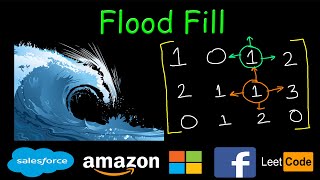

4 videos
did my crawler come up with invalid videos ? drop me a line.
Similar Problems
- problem 695: Max Area of Island
1 similar problem
Solved On The Same Day
5 easy
- problem 674: Longest Continuous Increasing Subsequence
- problem 705: Design HashSet
- problem 706: Design HashMap
- problem 747: Largest Number At Least Twice of Others
- problem 748: Shortest Completing Word
- problem 486: Predict the Winner
7 solutions
October 4, 2023
Extra
There are a few extra pages giving you some insights into my setup:
- Tech Stack - my development environment and tools
- AI - how AI helped me create this website (NOT solving the problems)
- Progress - progression over time
- Quality - code quality