Python 0806.py
class Solution:
    def numberOfLines(self, widths: List[int], s: str) -> List[int]:
        pixels = 0
        lines  = 1
        for c in s:
            add = widths[ord(c) - ord("a")]
            if pixels + add > 100:
                pixels = 0
                lines += 1

            pixels += add

        return [ lines, pixels ]
Difficulty
This problem is ranked as
and has an acceptance rate of about 73% (100k+ submissions).
Typical patterns to solve this problem:
easy
medium
hard
and has an acceptance rate of about 73% (100k+ submissions).
Typical patterns to solve this problem:
- Array
- String
I solved 663 easy, 1250 medium and 309 hard problems
AI Disclaimer
Every single line of code was written by me, 100% from scratch, between August 2023 and August 2024.
However, two years later I set up this website and used various AI tools to generate most of the walkthrough / explanations below.
See this dedicated page for more details.
Code Walkthrough
Overview
The provided implementation computes how many lines are required to write a given string when each character occupies a specific number of pixels, and each line may contain at most 100 pixels. It returns a two-element list: the total line count and the pixel usage of the last line.
Key Steps
Variable Initialization
The algorithm starts by setting the current pixel count to zero and the line counter to one, reflecting the fact that at least one line is needed even before any characters are processed.
pixels = 0
lines  = 1
Character Width Lookup
For each character in the input string, the code determines its pixel width by indexing into the widths array. The index is obtained by subtracting the ASCII code of 'a' from the character’s ASCII code, which maps 'a'-'z' to positions 0-25.
add = widths[ord(c) - ord("a")]Line-Break Decision
Before adding the character’s width to the current line, the algorithm checks whether the addition would exceed the 100-pixel limit. If it would, the current line is considered full: the pixel counter is reset, and the line counter is incremented.
if pixels + add > 100:
    pixels = 0
    lines += 1
Accumulating Pixels
After handling a possible line break, the character’s width is added to the pixel counter for the current line.
pixels += addResult Construction
When all characters have been processed, the method returns a list containing the total number of lines and the pixel count of the final line.
return [ lines, pixels ]Edge Cases Handled
When the input string is empty, the loop body never executes. The initial values (lines = 1, pixels = 0) remain unchanged, resulting in a return value of [1, 0], which correctly indicates a single empty line.
If a character’s width exactly fills the remaining space on a line (pixels + add == 100), the condition > 100 is false, so the character is placed on the current line, bringing the pixel count to exactly 100. The next character will trigger a line break because any positive width will make the sum exceed 100.
The algorithm also gracefully handles characters whose widths are zero. Adding a zero-width character does not affect the pixel count, and the line-break logic correctly ignores it, allowing multiple zero-width characters to be placed without consuming line capacity.
Performance Optimizations
The solution processes the input string in a single linear pass, performing a constant amount of work for each character. By using direct integer arithmetic (ord subtraction) for index calculation, it avoids any string slicing or additional look-ups. The early line-break check prevents the pixel accumulator from ever exceeding the line limit, eliminating the need for later correction steps. Memory usage stays minimal, limited to a few integer variables and the final two-element list. This tight loop and low overhead make the implementation well-suited for large input strings.
written by openai gpt
ELI5 - Simplified Explanation
Imagine you have a long, skinny piece of paper where you can only fit 100 little squares across each row before you run out of room. This piece of paper is for writing a special secret message. Each letter in the alphabet has a certain size in little squares. Some letters are skinny and only take up a few squares, while others are nice and wide.
When you start writing your message, you look at the first letter and see how many squares it needs. You put it on the paper, and then you check the next letter. You keep adding letters one by one until you have used up all 100 spots in that row. If a letter is too big to fit the remaining space on the row, you stop, move to the next row, and start writing that letter there instead. By keeping track of how many squares you have used and starting a new row whenever you need to, you can figure out exactly how many rows you filled up and how many squares the last row used.
written by google gemini
Code Quality
Several LLMs ranked my code quality on a scale from 1 (very poor) to 10 (outstanding):
n = 27
|
median = 7
|
μ = 7.52
|
σ = 0.79
Complexity Analysis
Time: linear
As a rule of thumb, the maximum input size for one second execution time is
As a rule of thumb, the maximum input size for one second execution time is
- factorial: up to 10 elements
- exponential: up to 20 elements
- polynomial: a few thousand elements
- loglinear: up to 100,000 elements
- linear: a few million elements
- logarithmic: a billion elements
- constant: practically unlimited
generated automatically
Other Solutions
I wrote a basic crawler to find other solutions to that problem.
Obviously, I did that after I solved the problem myself.
In general, AlgoMonster and WalkCCC solutions are high-quality and always worth a look.
I haven't checked most of the other solutions, but they might be helpful as well.
And of course, the LeetCode forum is always a good place (or even the best) to look for alternative approaches.
(click on a column header to sort the table)
| author | |||||||||||
|---|---|---|---|---|---|---|---|---|---|---|---|
| author | solutions | ||||||||||
| www | AlgoMonster | C++ | Java | Python | TS | ||||||
| WalkCCC | C++ | Java | Python | ||||||||
| leetcode.ca | C++ | Java | Rust | Python | Go | TS | |||||
| LeetcodeHelp | C++ | Java | Python | ||||||||
| Progiez | C++ | Java | Python | ||||||||
| github | BigEggStudy | C# | |||||||||
| black-shadows | C++ | ||||||||||
| charles-wangkai | Java | ||||||||||
| DimitrisJim | C | ||||||||||
| fartem | Ruby | ||||||||||
| fengvyi | C++ | ||||||||||
| JoshCrozier | JS | ||||||||||
| Krazune | C++ | ||||||||||
| lkwq007 | Python | ||||||||||
| lzl124631x | C++ | ||||||||||
| ruoru | Rust | ||||||||||
| suxrobGM | C# | ||||||||||
| varunu28 | Java | ||||||||||
| zfang399 | C++ | ||||||||||
| AlgoMonster | C++, Python, Java, TypeScript | ||||||||||
| WalkCCC | C++, Python, Java | ||||||||||
| leetcode.ca | C++, Go, Java, Python, Rust, TypeScript | ||||||||||
| LeetcodeHelp | C++, Java, Python | ||||||||||
| Progiez | C++, Java, Python | ||||||||||
| BigEggStudy | C# | ||||||||||
| black-shadows | C++, C++ | ||||||||||
| charles-wangkai | Java | ||||||||||
| DimitrisJim | C | ||||||||||
| fartem | Ruby | ||||||||||
| fengvyi | C++ | ||||||||||
| JoshCrozier | JavaScript | ||||||||||
| Krazune | C++ | ||||||||||
| lkwq007 | Python | ||||||||||
| lzl124631x | C++ | ||||||||||
| ruoru | Rust | ||||||||||
| suxrobGM | C# | ||||||||||
| varunu28 | Java | ||||||||||
| zfang399 | C++ |
33 links
|
19 authors
|
10 languages
Videos
These are a few popular YouTube videos for this problem:


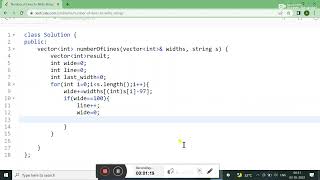

Nick White 6 mins
LeetCode Number of Lines To Write String Solution Explained - Java
Jacob Broughton 8 mins
Number of Lines To Write String | LeetCode 806 Walkthrough
Abhishweta Gupta 3 mins
806. Number of Lines To Write String || LEETCODE SOLUTION || IN C++ || DATA STRUCTURE AND ALGORITHM
Abdullah Arshed 4 mins
806. Number of Lines To Write String | Leetcode | Python
Math Geeks 5 mins
Leetcode solving: 806 Number of Lines To Write String
5 videos
did my crawler come up with invalid videos ? drop me a line.
Solved On The Same Day
2 easy
- problem 804: Unique Morse Code Words
- problem 868: Binary Gap
- problem 423: Reconstruct Original Digits from English
4 solutions
October 8, 2023
Extra
There are a few extra pages giving you some insights into my setup:
- Tech Stack - my development environment and tools
- AI - how AI helped me create this website (NOT solving the problems)
- Progress - progression over time
- Quality - code quality