Python 2224.py
class Solution:
    def convertTime(self, current: str, correct: str) -> int:
        result  = 0

        hour1   = int(current[:2])
        minute1 = int(current[3:])
        hour2   = int(correct[:2])
        minute2 = int(correct[3:])

        time1 = hour1 * 60 + minute1
        time2 = hour2 * 60 + minute2

        while time1 % 5 != time2 % 5:
            time1  += 1
            result += 1

        while time1 % 15 != time2 % 15:
            time1  += 5
            result += 1

        while time1 % 60 != time2 % 60:
            time1  += 15
            result += 1

        while time1 != time2:
            time1  += 60
            result += 1

        return result
Difficulty
This problem is ranked as
and has an acceptance rate of about 66% (80k+ submissions).
Typical patterns to solve this problem:
easy
medium
hard
and has an acceptance rate of about 66% (80k+ submissions).
Typical patterns to solve this problem:
- Greedy
- String
I solved 663 easy, 1250 medium and 309 hard problems
AI Disclaimer
Every single line of code was written by me, 100% from scratch, between August 2023 and August 2024.
However, two years later I set up this website and used various AI tools to generate most of the walkthrough / explanations below.
See this dedicated page for more details.
Code Walkthrough
Overview
The provided Solution.convertTime method computes the smallest number of button presses required to change a displayed time (current) into a target time (correct). Each press can add exactly 1, 5, 15, or 60 minutes to the current time. The algorithm works by converting both times to a total-minute count and then incrementally aligning the current count to the target using the largest possible step that preserves the required remainder relationships.
Key Steps
Parsing the input strings
The method extracts hour and minute components from the HH:MM formatted strings and converts them to integers.
hour1   = int(current[:2])
minute1 = int(current[3:])
hour2   = int(correct[:2])
minute2 = int(correct[3:])
Converting to absolute minutes
Both times are expressed as minutes elapsed since midnight, simplifying arithmetic.
time1 = hour1 * 60 + minute1
time2 = hour2 * 60 + minute2
Aligning the 1-minute remainder
If the two times differ in their remainder modulo 5, the algorithm adds single-minute increments until the remainders match.
while time1 % 5 != time2 % 5:
    time1  += 1
    result += 1
Aligning the 5-minute remainder
Once the 1-minute remainder is synchronized, the method uses 5-minute steps to match the remainder modulo 15.
while time1 % 15 != time2 % 15:
    time1  += 5
    result += 1
Aligning the 15-minute remainder
With the 5-minute remainder aligned, 15-minute increments are applied until the remainder modulo 60 coincides.
while time1 % 60 != time2 % 60:
    time1  += 15
    result += 1
Aligning the hour component
Finally, whole-hour (60-minute) steps are used to bring the two times to exact equality.
while time1 != time2:
    time1  += 60
    result += 1
Returning the count
The accumulated result reflects the minimal number of button presses.
return resultEdge Cases Handled
When current and correct are identical, all while-conditions fail immediately, leaving result at zero, which correctly represents no required presses.
If the minute difference is less than the smallest button increment (for example, a 3-minute gap), the first loop adds three single-minute steps, demonstrating correct handling of sub-5-minute differences.
When the transition crosses an hour boundary (e.g., from 01:58 to 02:03), the conversion to total minutes captures the wrap-around, and the modular alignment steps correctly adjust the remainder before applying larger jumps.
The algorithm also works when the target time is earlier on the same day; the while loops will increment time1 past midnight and continue until it reaches the later absolute minute count, effectively modeling the required forward progression of time.
Performance Optimizations
The implementation reduces the number of iterations by grouping increments into the largest feasible step size at each stage. By first synchronizing the smallest remainder (mod 5) with single-minute presses, it guarantees that subsequent 5-minute jumps will never overshoot the target remainder. The same principle applies to the 15-minute and 60-minute phases, each using a modulo check to ensure that only the necessary number of larger jumps are performed. This staged approach avoids a naïve minute-by-minute loop, resulting in far fewer loop cycles, especially for large time differences. The use of simple arithmetic and while-loops keeps the runtime overhead minimal while preserving clarity.
written by openai gpt
ELI5 - Simplified Explanation
Imagine you have two clocks and you want to make them show the exact same time. First, the code looks at the hours and minutes on each clock and turns them into a total number of minutes. This is like counting up all the tiny minutes from the very start of the day so it is easier to compare them.
Next, the code starts a game of moving time forward to match the second clock. It tries adding one minute at a time to see if that helps. Then, it tries adding five minutes at a time. After that, it tries adding fifteen minutes at a time. Finally, it adds one whole hour at a time until the two clocks are perfectly matched. Every time a little jump is made, a counter keeps track of how many moves were used to get everything lined up. It is just like solving a puzzle by making small jumps until piece A fits perfectly into piece B.
written by google gemini
Code Quality
Several LLMs ranked my code quality on a scale from 1 (very poor) to 10 (outstanding):
n = 27
|
median = 6
|
μ = 5.67
|
σ = 1.72
Complexity Analysis
Time: constant
As a rule of thumb, the maximum input size for one second execution time is
As a rule of thumb, the maximum input size for one second execution time is
- factorial: up to 10 elements
- exponential: up to 20 elements
- polynomial: a few thousand elements
- loglinear: up to 100,000 elements
- linear: a few million elements
- logarithmic: a billion elements
- constant: practically unlimited
generated automatically
Other Solutions
I wrote a basic crawler to find other solutions to that problem.
Obviously, I did that after I solved the problem myself.
In general, AlgoMonster and WalkCCC solutions are high-quality and always worth a look.
I haven't checked most of the other solutions, but they might be helpful as well.
And of course, the LeetCode forum is always a good place (or even the best) to look for alternative approaches.
(click on a column header to sort the table)
| author | ||||||||
|---|---|---|---|---|---|---|---|---|
| author | solutions | |||||||
| www | AlgoMonster | C++ | Java | Python | TS | |||
| WalkCCC | C++ | Java | Python | |||||
| leetcode.ca | C++ | Java | Python | Go | ||||
| Progiez | C++ | Java | Python | |||||
| github | black-shadows | C++ | ||||||
| charles-wangkai | Java | |||||||
| everthis | JS | |||||||
| fsq | C++ | |||||||
| JoshCrozier | JS | |||||||
| lkwq007 | Python | |||||||
| suxrobGM | C# | |||||||
| varunu28 | Java | |||||||
| AlgoMonster | C++, Python, Java, TypeScript | |||||||
| WalkCCC | C++, Python, Java | |||||||
| leetcode.ca | C++, Go, Java, Python | |||||||
| Progiez | C++, Java, Python | |||||||
| black-shadows | C++, C++ | |||||||
| charles-wangkai | Java | |||||||
| everthis | JavaScript | |||||||
| fsq | C++ | |||||||
| JoshCrozier | JavaScript | |||||||
| lkwq007 | Python | |||||||
| suxrobGM | C# | |||||||
| varunu28 | Java |
22 links
|
12 authors
|
7 languages
Videos
These are a few popular YouTube videos for this problem:

Bro Coders 13 mins
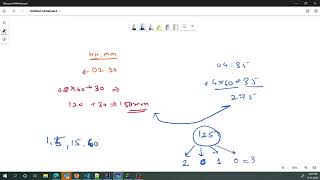
2224. Minimum Number of Operations to Convert Time || Leetcode Weekly Contest 287 || Leetcode 2224
Coding Decoded 7 mins
Minimum Number of Operations to Convert Time | Leetcode 2224 | Pattern Maths | Contest 287 🔥🔥
Programming Live with Larry 5 mins
2224. Minimum Number of Operations to Convert Time (Leetcode Easy)
Erudite CS 8 mins
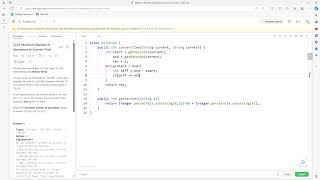
2224. Minimum Number of Operations to Convert Time
Sleepy Cracker 5 mins
#LeetCode 2224 | Minimum Number of Operations to Convert Time #Java
5 videos
did my crawler come up with invalid videos ? drop me a line.
Similar Problems
- problem 322: Coin Change
- problem 2241: Design an ATM Machine
- problem 2409: Count Days Spent Together
3 similar problems
Solved On The Same Day
3 easy
- problem 2200: Find All K-Distant Indices in an Array
- problem 2206: Divide Array Into Equal Pairs
- problem 2210: Count Hills and Valleys in an Array
- problem 2165: Smallest Value of the Rearranged Number
5 solutions
February 10, 2024
Extra
There are a few extra pages giving you some insights into my setup:
- Tech Stack - my development environment and tools
- AI - how AI helped me create this website (NOT solving the problems)
- Progress - progression over time
- Quality - code quality